Benchmark / July 9, 2026 / 20 min read
RTX 3090 for Local AI Inference
Why NVIDIA’s 2020 monster GPU is still the fan-favourite card for local LLMs, image generation, and AI tinkering.
On this page
- RTX 3090: The Local AI Sweet Spot
- Key Specs
- Why Bandwidth Matters for LLMs
- Pricing Reference
- Why It Still Beats Many Newer Cards for Local AI
- What 24 GB Actually Lets You Run
- Recommended Local LLM Targets
- Dual-GPU llama.cpp benchmark
- Speculative Decoding and Multi-Token Prediction
- Power Limiting: The 250–290 W Trick
- Image Generation
- Buying Advice
- Verdict
- See Also
RTX 3090: The Local AI Sweet Spot
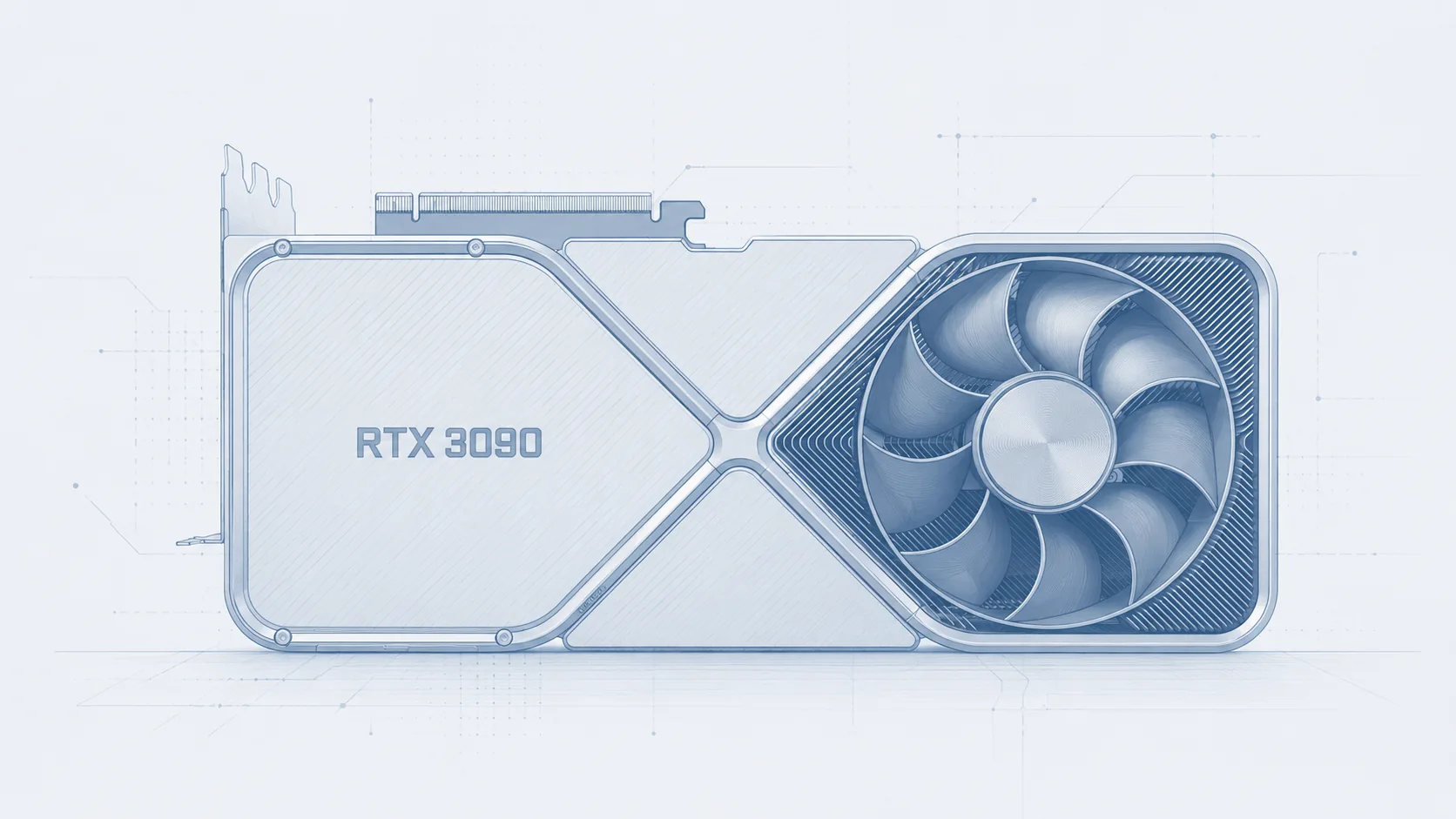
The RTX 3090 is still the fan-favourite GPU for local AI and the reasons are simple: 24 GB of VRAM, 936 GB/s of memory bandwidth, CUDA support and sane used-market pricing.
NVIDIA launched it as the “BFGPU” with 10,496 CUDA cores, 24 GB of GDDR6X memory, and a $1,499 starting price on September 24, 2020.
It was always a bit absurd for gaming but for local AI, it has aged beautifully.
It has enough VRAM to fit serious quantized models. It has enough bandwidth to produce good decode speed on dense models. It has mature CUDA support. It works well with llama.cpp, Ollama, ExLlamaV2, ComfyUI, PyTorch, and most AI tooling without drama. And unlike newer flagship cards, used RTX 3090s can still be found at prices that make sense for hobbyists and indie devs.
NVIDIA probably did not intend to create the perfect second-hand local AI card in 2020, but that’s what happened.
Key Specs
| Spec | RTX 3090 |
|---|---|
| Architecture | NVIDIA Ampere |
| GPU | GA102 |
| CUDA cores | 10,496 |
| Tensor cores | 328, 3rd gen |
| RT cores | 82, 2nd gen |
| Base clock | 1.40 GHz |
| Boost clock | 1.70 GHz |
| FP32 performance | ~35.6 TFLOPS |
| NVIDIA launch marketing | 36 shader TFLOPS, 69 RT TFLOPS, 285 Tensor TFLOPS |
| VRAM | 24 GB GDDR6X |
| Memory bus | 384-bit |
| Memory bandwidth | 936.2 GB/s |
| Memory speed | 19.5 Gbps effective |
| PCIe | PCIe 4.0 x16 |
| NVLink | Yes, 2-way supported |
| Encoder / decoder | 7th-gen NVENC, 5th-gen NVDEC |
| Rated board power | 350 W |
| Recommended PSU | 750 W |
| Founders Edition size | 313 mm, 3-slot |
The important number for local LLM inference is the combination of 24 GB VRAM + 936 GB/s bandwidth.
Why Bandwidth Matters for LLMs
LLM inference has two main phases: prompt processing and token generation.
Prompt processing is the phase where the model digests the input context. This is more compute-heavy and benefits from raw shader/Tensor throughput.
Token generation is the phase you feel while chatting. This is the model producing one token after another. For many local single-user workloads, this phase is heavily memory-bandwidth bound because the GPU repeatedly streams model weights and KV-cache data through memory. Research on LLM inference phase-splitting describes prompt computation as more compute-intensive and token generation as more memory-intensive.
That is why the RTX 3090 still feels good. Its 936 GB/s bandwidth is high enough that dense Q4 models can decode at useful interactive speeds, especially in llama.cpp or other optimized inference stacks.
Pricing Reference
As of 09-07-2026, used pricing varies a lot by country, condition, cooler, seller reputation, and whether the card has been mined on or abused. A UK price tracker currently shows the RTX 3090 around £822.70 used, with a UK launch reference of £1,439. A US-focused used-price tracker shows an average used RTX 3090 around $700, while some marketplaces and listings are much higher.
Using current exchange-rate references around $1 = £0.746 and £1 ≈ $1.34, the rough pricing picture looks like this.
| Price point | GBP estimate | USD estimate | Notes |
|---|---|---|---|
| Launch MSRP | ~£1,439 UK reference | $1,499 | US MSRP official; UK launch pricing varies by VAT/retailer |
| Sensible used target | £700–£850 | $800–$1,000 | Best value zone if condition is good |
| UK used tracker | £822.70 | ~$1,100 | Current UK tracker reference |
| US used tracker | ~£522 | $700 | Current US used average reference |
The sweet spot is still the used market. A clean RTX 3090 at around £700–£850 or $800–$1,000 is hard to beat for local AI. Below that, inspect carefully.
Why It Still Beats Many Newer Cards for Local AI
The RTX 5080 is much newer, faster in many gaming and AI paths, and based on Blackwell. But it ships with 16 GB of VRAM, which is a hard limit for local LLMs. NVIDIA’s official RTX 5080 spec page lists 16 GB GDDR7 on a 256-bit bus.
The RTX 5090 finally beats the 3090’s VRAM capacity in a consumer GeForce card with 32 GB GDDR7, but it launched at a much higher $1,999 starting price and current market prices remain ugly. NVIDIA lists the RTX 5090 as a 32 GB GDDR7 card starting at $1,999. UK price tracking in July 2026 shows the RTX 5090 around £3,599 new and £3,066 used, against a UK launch reference around £1,919.
So yes, the 5090 is technically much better. It has more VRAM, more bandwidth, newer Tensor cores, FP4 support, and better performance. But for value, the 3090 is still absurdly competitive. For a full comparison across all current GPU options, see the Best GPUs and Devices for Local AI guide.
The 3090 held the consumer VRAM crown at 24 GB from September 2020 until the RTX 5090’s 32 GB launch in early 2025. That is roughly four and a half years where NVIDIA’s newer gaming cards matched or undercut it on capacity rather than clearly beating it.
What 24 GB Actually Lets You Run
The RTX 3090 is a “run the good stuff locally” GPU.
With 24 GB of VRAM, it is ideal for:
- 7B to 14B models at high quantization or full-ish precision
- 20B to 35B-class models at Q4 or similar quantization
- Dense 27B to 31B models with sensible context lengths
- MoE models where active parameters are low
- Local coding assistants
- Agentic workflows where throughput matters
The limitation is context. A Q4 model might fit, but a huge context window can push the KV cache over the edge. Long context is not free. For local use, 8K to 32K context is usually the practical range depending on model, quant, backend, and whether you quantize KV cache. I would recommend Q8 quants for the KV cache.
Estimate what the RTX 3090 can run with a specific model, quantization, context window, and use case.
For a single 3090, I would generally use llama.cpp / GGUF first. It is flexible, efficient, and forgiving. With two cards, llama.cpp can distribute a GGUF model across both GPUs, as benchmarked below. For production multi-GPU serving, vLLM is often more attractive because it supports tensor and pipeline parallelism through options such as --tensor-parallel-size.
Recommended Local LLM Targets
Qwen3.6-27B
For coding, Qwen3.6-27B is one of the most exciting dense models in this class. The model card highlights agentic coding improvements, frontend workflows, and repository-level reasoning.
This is the model I would use when quality matters more than raw throughput.
Benchmark results (llama.cpp, Q4_K_M, Q8 KV cache, single RTX 3090):
| KV depth | Prompt Processing | Token Generation |
|---|---|---|
| 512 | 1,228.67 t/s | 39.14 t/s |
| 2,048 | 1,172.31 t/s | 39.11 t/s |
| 4,096 | 1,159.45 t/s | 39.08 t/s |
| 8,192 | 1,090.04 t/s | 39.05 t/s |
| 16,384 | 1,049.01 t/s | 38.98 t/s |
| 32,768 | 966.87 t/s | 38.85 t/s |
| 65,536 | 821.75 t/s | 38.69 t/s |
PP scales well with the 3090’s compute, hitting over 1200 t/s at short contexts and remaining above 800 t/s even at 64K. TG stays remarkably stable around 39 t/s across the board — the 936 GB/s bandwidth is enough that the Q4 model’s memory reads are the only bottleneck.
Model card: Qwen3.6-27B.
Qwen3.6-35B-A3B
Qwen3.6-35B-A3B is the more throughput-friendly option. It is a 35B-class MoE model with only a smaller subset of parameters active per token, which makes it much faster than a dense 35B would be.
For agentic workflows, this is often the better practical pick because speed changes how you use the model. More attempts, faster tool calls, quicker retries, and lower waiting time matter.
Benchmark results (llama.cpp, IQ4_XS 4.25 bpw, Q8 KV cache, single RTX 3090):
| KV depth | Prompt Processing | Token Generation |
|---|---|---|
| 512 | 3,245.74 t/s | 136.13 t/s |
| 2,048 | 3,171.72 t/s | 134.36 t/s |
| 4,096 | 3,111.54 t/s | 131.02 t/s |
| 8,192 | 3,027.03 t/s | 126.87 t/s |
| 16,384 | 2,989.40 t/s | 118.86 t/s |
| 32,768 | 2,847.98 t/s | 103.58 t/s |
| 65,536 | 2,529.12 t/s | — |
TG is measured with the KV cache pre-filled to each depth, which is how real conversations work. At typical chat depths (2K–4K), you get ~131–134 t/s. By 32K, attention over the full cache pulls it down to ~104 t/s. The shallow-context tg128 test (no depth) reports 148 t/s — that number is misleading for real use.
The MoE architecture shows its advantage here. PP is nearly 3x faster than the dense Qwen3.6-27B at short contexts, and TG at ~131 t/s (4K depth) is roughly 3.4x the dense model’s 39 t/s. Only ~3B parameters are active per token, so the memory-bandwall hits much later. Even at 64K context, PP stays above 2500 t/s.
The Unsloth GGUF release includes an MTP draft head for speculative decoding (see MTP section below).
Model card: unsloth/Qwen3.6-35B-A3B-MTP-GGUF.
Gemma 4 31B
Gemma 4 31B is the dense Gemma option.
For coding, it may sit slightly behind the best Qwen coding models, but for creative prose, general knowledge, and multimodal-style workflows, it is excellent.
Benchmark results (llama.cpp, Q4_K_M, Q8 KV cache, single RTX 3090):
| KV depth | Prompt Processing | Token Generation |
|---|---|---|
| 512 | 1,087.93 t/s | 34.37 t/s |
| 2,048 | 1,076.66 t/s | 34.31 t/s |
| 4,096 | 1,050.22 t/s | 34.28 t/s |
| 8,192 | 1,017.71 t/s | 34.24 t/s |
| 16,384 | 943.72 t/s | 34.19 t/s |
| 32,768 | 836.60 t/s | 34.14 t/s |
PP is competitive with Qwen at short contexts and degrades gracefully as context grows. TG holds steady at ~34 t/s — slightly lower than Qwen’s 39 t/s, as you’d expect from the larger parameter count and wider model.
Model card: google/gemma-4-31B-it. The variant tested here is the uncensored QAT finetune by HauhauCS, available at HauhauCS/Gemma4-31B-QAT-Uncensored-HauhauCS-Balanced-MTP.
Gemma 4 26B-A4B
Gemma 4 26B-A4B is the MoE-style Gemma option. The model card says Gemma 4 includes a 26B A4B variant, and the A4B design means fewer active parameters during inference than the total model size implies.
This makes it a strong agentic model: high throughput, capable reasoning, and enough quality for many practical tasks. On the 3090, expect roughly 64–115 tok/s depending on quant and backend.
Model card: Gemma 4 26B-A4B.
Dual-GPU llama.cpp benchmark
These are measured results from two RTX 3090 24 GB GPUs running llama.cpp on a Threadripper PRO 3945WX system. Both cards were power-limited to 275 W. The tables use the underlying model names rather than the local finetune names.
Test setup
The context sweep used llama-bench build fc6545d (build 50) with NVIDIA driver 595.84. Each test used a fixed 512-token prefill, 256 generated tokens, Q8_0 K and V KV caches, and Flash Attention. The built-in warm-up ran first, followed by three measured repetitions. The figures below are the arithmetic means; tokenization and sampling are outside llama-bench timings.
Context depth is the KV cache already populated before the measured work. A depth of 0 is an empty cache; at 16K, for example, PP measures the next 512 prompt tokens and TG measures 256 generated tokens while attending to that existing cache. The common comparison stops at 32K because that is the highest tuned depth shared by all seven configurations. Qwen3.6 27B and Gemma 4 31B remained fully GPU-resident and were separately swept through 64K, 128K, and 256K.
The Qwen3.6 and Gemma GGUFs are MTP-capable, but speculative decoding is disabled here because llama-bench does not exercise a draft path. That keeps the PP and TG path consistent across the models.
| Model | Quant | Batch / ubatch | Placement and throughput tuning |
|---|---|---|---|
| Llama 3.3 70B · Standard (no MTP) | Q4_K_S | 1,024 / 512 | All layers on GPU; Split ratio 1:1; mode not recorded llama-bench fc6545d (build 50) |
| Llama 3.3 Nemotron Super 49B · Standard (no MTP) | Q5_K_M | 4,096 / 256 | All layers on GPU; Split ratio 0.7:1.3; mode not recorded llama-bench fc6545d (build 50) |
| Qwen3.6 27B MTP · Standard (no MTP) | Q4_K_M | 2,048 / 2,048 | All layers on GPU; Split ratio 1:1; mode not recorded llama-bench fc6545d (build 50) |
| Qwen3.5 122B-A10B · Standard (no MTP) | UD-Q4_K_S | 4,096 / 256 | Context: automatic fit with 2,048 MiB free per GPU; concurrency: 20 MoE expert layers on CPU, remaining layers split 65:35 llama-bench fc6545d (build 50) |
| GLM-4.5 Air 106B-A12B · Standard (no MTP) | i1-Q4_K_S | 2,048 / 512 | 18 MoE expert layers on CPU; remaining layers split ratio 65:35 (mode not recorded) llama-bench fc6545d (build 50) |
| Gemma 4 31B QAT MTP · Standard (no MTP) | Q4_K_M | 2,048 / 512 | All layers on GPU; Split ratio 1:1; mode not recorded llama-bench fc6545d (build 50) |
| Mistral Small 3.2 24B · Standard (no MTP) | i1-Q5_K_M | 2,048 / 512 | All layers on GPU; Split ratio 1:1; mode not recorded llama-bench fc6545d (build 50) |
Context-depth sweep
The two tables report tokens per second at each existing context depth. PP measures a 512-token prefill; TG measures a 256-token generation.
Prompt processing (PP)
| Model | 0 | 2K | 4K | 8K | 16K | 32K |
|---|---|---|---|---|---|---|
| Llama 3.3 70B · Standard (no MTP) | 786.6 | 746.5 | 721.2 | 673.7 | 598.4 | 486.0 |
| Llama 3.3 Nemotron Super 49B · Standard (no MTP) | 962.7 | 913.8 | 879.8 | 815.0 | 706.9 | 550.4 |
| Qwen3.6 27B MTP · Standard (no MTP) | 1,580.0 | 1,529.1 | 1,508.6 | 1,465.6 | 1,387.4 | 1,251.8 |
| Qwen3.5 122B-A10B · Standard (no MTP) | 312.4 | 306.3 | 298.8 | 294.7 | 289.9 | 279.6 |
| GLM-4.5 Air 106B-A12B · Standard (no MTP) | 284.7 | 279.2 | 274.3 | 261.0 | 239.9 | 206.0 |
| Gemma 4 31B QAT MTP · Standard (no MTP) | 1,517.6 | 1,425.3 | 1,392.3 | 1,325.3 | 1,213.2 | 1,025.7 |
| Mistral Small 3.2 24B · Standard (no MTP) | 2,284.1 | 2,216.6 | 2,153.0 | 2,038.3 | 1,855.1 | 1,553.6 |
Token generation (TG)
| Model | 0 | 2K | 4K | 8K | 16K | 32K |
|---|---|---|---|---|---|---|
| Llama 3.3 70B · Standard (no MTP) | 31.91 | 30.27 | 28.95 | 26.73 | 23.30 | 18.50 |
| Llama 3.3 Nemotron Super 49B · Standard (no MTP) | 22.99 | 22.16 | 21.54 | 20.32 | 18.29 | 15.15 |
| Qwen3.6 27B MTP · Standard (no MTP) | 59.05 | 58.71 | 58.11 | 56.99 | 55.04 | 51.25 |
| Qwen3.5 122B-A10B · Standard (no MTP) | 31.11 | 30.90 | 30.75 | 30.35 | 29.32 | 27.36 |
| GLM-4.5 Air 106B-A12B · Standard (no MTP) | 27.60 | 26.17 | 25.00 | 22.46 | 19.59 | 15.55 |
| Gemma 4 31B QAT MTP · Standard (no MTP) | 50.80 | 49.21 | 48.60 | 47.38 | 45.25 | 41.49 |
| Mistral Small 3.2 24B · Standard (no MTP) | 72.70 | 70.87 | 68.82 | 65.44 | 59.94 | 51.02 |
Extended 27B and 31B context sweep
Qwen3.6 27B and Gemma 4 31B use the same fixed 512-token PP, 256-token TG, Q8_0 KV cache, warm-up, and three measured repetitions as the common sweep.
| Model | Test | 64K | 128K | 256K |
|---|---|---|---|---|
| Qwen3.6 27B MTP · Standard (no MTP) | PP | 1,046.6 | 774.1 | 498.1 |
| Qwen3.6 27B MTP · Standard (no MTP) | TG | 45.08 | 35.86 | 25.41 |
| Gemma 4 31B QAT MTP · Standard (no MTP) | PP | 788.6 | 541.2 | 332.5 |
| Gemma 4 31B QAT MTP · Standard (no MTP) | TG | 35.56 | 27.66 | 19.08 |
At 256K, Qwen3.6 retains 498.1 PP t/s and 25.41 TG t/s. From an empty cache to 256K, that is a drop of about 68% for PP and 57% for TG. Gemma 4 reaches 332.5 PP t/s and 19.08 TG t/s at 256K, down about 78% and 62% respectively.
Mistral Small 3.2 is the fastest model here, reaching 72.70 TG t/s with an empty cache and retaining 51.02 t/s at 32K. Qwen3.6 27B is close at long context, with 51.25 TG t/s at 32K. The CPU-offloaded Qwen3.5 122B-A10B has much lower PP, but its sparse active path keeps TG unusually steady: 31.11 t/s at depth 0 and 27.36 t/s at 32K.
These are not architecture-only comparisons. Weight quants differ, and the two largest MoE models offload expert weights to system RAM. The table answers the practical question—how these tuned GGUF configurations perform on this machine—not how the base models would compare at identical precision and placement.
Concurrency and aggregate throughput
llama-batched-bench used independent prompts with the same Q8_0 KV cache, 512 prompt tokens, and 256 generated tokens per stream. The first concurrency-1 pass was discarded as warm-up; each value is the mean of three subsequent runs. Aggregate PP and aggregate TG count tokens across every simultaneous stream. TG / stream is aggregate TG divided by concurrency. Aggregate all counts both prompt and generated tokens over total wall time. Every rate in the table is in tokens per second.
| Model / mode | KV depth | Streams | Agg. PP | Agg. TG | TG / stream | Agg. all |
|---|---|---|---|---|---|---|
| Llama 3.3 70B · Standard (no MTP) | 0 | 1 | 750.4 | 31.01 | 31.01 | 85.94 |
| Llama 3.3 70B · Standard (no MTP) | 0 | 2 | 752.5 | 49.84 | 24.92 | 132.03 |
| Llama 3.3 70B · Standard (no MTP) | 0 | 4 | 751.8 | 62.93 | 15.73 | 161.71 |
| Llama 3.3 Nemotron Super 49B · Standard (no MTP) | 0 | 1 | 956.8 | 22.68 | 22.68 | 64.96 |
| Llama 3.3 Nemotron Super 49B · Standard (no MTP) | 0 | 2 | 962.8 | 39.90 | 19.95 | 110.55 |
| Llama 3.3 Nemotron Super 49B · Standard (no MTP) | 0 | 4 | 841.5 | 54.79 | 13.70 | 145.44 |
| Qwen3.6 27B MTP · Standard (no MTP) | 0 | 1 | 1,483.5 | 59.22 | 59.22 | 164.53 |
| Qwen3.6 27B MTP · Standard (no MTP) | 0 | 2 | 1,607.4 | 98.37 | 49.19 | 262.93 |
| Qwen3.6 27B MTP · Standard (no MTP) | 0 | 4 | 1,658.2 | 128.72 | 32.18 | 334.28 |
| Qwen3.5 122B-A10B · Standard (no MTP) | 0 | 1 | 255.6 | 35.29 | 35.29 | 82.96 |
| Qwen3.5 122B-A10B · Standard (no MTP) | 0 | 2 | 256.7 | 35.25 | 17.63 | 82.97 |
| Qwen3.5 122B-A10B · Standard (no MTP) | 0 | 4 | 259.9 | 49.97 | 12.49 | 108.22 |
| GLM-4.5 Air 106B-A12B · Standard (no MTP) | 0 | 1 | 289.6 | 27.14 | 27.14 | 68.57 |
| GLM-4.5 Air 106B-A12B · Standard (no MTP) | 0 | 2 | 289.9 | 18.56 | 9.28 | 49.34 |
| GLM-4.5 Air 106B-A12B · Standard (no MTP) | 0 | 4 | 295.8 | 27.51 | 6.88 | 69.59 |
| Gemma 4 31B QAT MTP · Standard (no MTP) | 0 | 1 | 1,442.1 | 50.10 | 50.10 | 140.53 |
| Gemma 4 31B QAT MTP · Standard (no MTP) | 0 | 2 | 1,446.6 | 85.73 | 42.87 | 229.94 |
| Gemma 4 31B QAT MTP · Standard (no MTP) | 0 | 4 | 1,473.1 | 114.99 | 28.75 | 298.39 |
| Mistral Small 3.2 24B · Standard (no MTP) | 0 | 1 | 2,170.4 | 72.29 | 72.29 | 203.31 |
| Mistral Small 3.2 24B · Standard (no MTP) | 0 | 2 | 2,198.7 | 119.82 | 59.91 | 324.14 |
| Mistral Small 3.2 24B · Standard (no MTP) | 0 | 4 | 2,232.6 | 165.58 | 41.39 | 432.57 |
Concurrency raises total throughput but lowers the rate seen by each stream. Mistral Small 3.2 reaches 165.58 aggregate TG t/s at concurrency 4, while Qwen3.6 reaches 128.72 t/s and Gemma 4 reaches 114.99 t/s. The CPU-offloaded models scale less cleanly; GLM-4.5 Air is notably non-linear because GPU work, CPU expert work, and memory traffic contend differently as the batch shape changes.
A dual-3090 system provides 24 GB on each card and can accommodate roughly 48 GB of distributed model data when llama.cpp shards it appropriately. That does not behave like one physically unified 48 GB pool, and the largest models still need CPU offload. Multi-GPU throughput depends heavily on split mode, tensor placement, batch shape, context depth, and interconnect traffic.
Speculative Decoding and Multi-Token Prediction
Speculative decoding and Multi-Token Prediction can make the 3090 feel much faster when the model and backend support it.
The basic idea: a smaller or cheaper draft path predicts several candidate tokens, and the main model verifies them in parallel. If enough candidates are accepted, you get more output tokens per expensive forward pass. A classic speculative sampling paper reported 2–2.5x decoding speedups without compromising output distribution in its benchmark setup.
Qwen3.6-35B-A3B’s model card includes Multi-Token Prediction examples for SGLang and vLLM, including speculative configuration. Google has also released Gemma 4 MTP drafters, describing up to 3x speedups without output-quality degradation in supported pipelines.
Qwen3.6-35B-A3B MTP
The Unsloth Qwen3.6-35B-A3B GGUF release ships with an MTP draft head included in the same file, so no separate download is needed. In llama.cpp, enable it with the --spec-type draft-mtp flag:
llama-server -m Qwen3.6-35B-A3B-UD-IQ4_XS.gguf \
  --spec-type draft-mtp \
  -ngl 99 -fa on
Because the MoE model already decodes at ~131 t/s at 4K depth without speculation, the MTP head pushes effective throughput well past 200 t/s in favourable conditions — fast enough that token generation feels effectively instant for interactive use.
Gemma 4 MTP Draft Model
The HauhauCS Gemma 4 release includes an MTP draft head (mtp-gemma-4-31B-it.gguf, 267 MB) designed for speculative decoding with the main 31B model. In llama.cpp, it can be loaded alongside the target model:
llama-server -m Gemma4-31B-QAT-Uncensored-HauhauCS-Balanced-Q4_K_M.gguf \
  -md mtp-gemma-4-31B-it.gguf --spec-type draft-mtp \
  -ngl 99 -fa on
The draft model is tiny (267 MB vs 17.4 GB for the main model) and adds minimal VRAM overhead. On a single 3090, the MTP drafter shares the GPU with the already-loaded target model. Google claims up to 3x speedup in supported pipelines, and the HauhauCS release notes report roughly 60% faster generation with identical output in llama.cpp.
In practice, the speedup depends on acceptance rate, batch size, backend support, context length, and whether the KV cache for both models fits comfortably in VRAM. It is most useful at shorter contexts where memory pressure does not erase the benefit.
Power Limiting: The 250–290 W Trick
The RTX 3090 is rated for 350 W, but local inference often does not need the full power limit.
A practical power limit around 250–290 W is one of the best quality-of-life tweaks for this card. It affects compute-heavy prompt processing more than memory-bound token generation, so lowering the limit can cut power use without sacrificing much interactive decode speed.
This saves power, reduces heat, reduces fan noise, and may improve long-term reliability. Community LLM testing has found useful results in the 250–300 W range, and Puget Systems found around 95% of maximum compute performance at roughly 280 W in multi-3090 compute testing.
On Linux, this is easy:
sudo nvidia-smi -pl 280For a quieter daily local AI machine, I would start at 280 W, test your actual models, then try 260 W and 250 W. If decode speed barely changes, keep the lower limit.
The 3090 can run hot, especially on VRAM junction temperatures.
Image Generation
The RTX 3090 is also strong for image generation.
It is very capable for:
- Stable Diffusion 1.5
- Stable Diffusion XL
- FLUX workflows
- LoRA experimentation
- ControlNet
- Hires fix
- Upscaling
- Moderate ComfyUI graphs
The 24 GB VRAM matters here too. SDXL and FLUX can run on smaller cards with quantization or low-VRAM tricks, but the 3090 gives you breathing room. FLUX is resource-intensive, but 24 GB cards like the RTX 3090 are commonly treated as a practical full-quality tier for local FLUX workflows. SDXL training/inference guides also commonly place 24 GB cards like the RTX 3090 and 4090 in the serious local-workstation tier.
For video generation, it is usable but not brilliant. Wan small models are possible, especially with careful settings. Wan’s own report describes a 1.3B model with consumer-grade efficiency requiring about 8.19 GB VRAM, while the larger 14B model is the high-capability option.
For Wan large workflows, the 3090’s 24 GB is not enough to be comfortable at high resolution and long duration. You will be trading off resolution, frame count, batch size, and offload settings. Shorter, lower-resolution generations are realistic. Long, high-resolution clips are where bigger cards or multi-GPU setups become much more attractive.
Buying Advice
The RTX 3090 is a used-market card now, so condition matters more than brand.
Before buying, check:
- Does the card pass a sustained VRAM stress test?
- Are VRAM junction temperatures under control?
- Has the thermal pad job been done properly?
- Is there coil whine?
- Are fans healthy?
- Is the seller reputable?
- Is it a blower, open-air, hybrid, or water-blocked card?
- Will it physically fit your case?
- Can your PSU handle transient load?
- Do you need NVLink for a dual-3090 build?
For local AI, blower cards can be useful in dense multi-GPU systems, but they are loud and often hot. Open-air cards are better for a normal desktop. Founders Edition cards are compact for what they are, but memory thermals deserve attention. Some AIB cards have better cooling, but they can be enormous.
Verdict
The RTX 3090 remains one of the best-value GPUs ever made for local AI. It is power-hungry, physically large, less efficient than newer cards, and old enough that used condition matters.
Even so, few alternatives combine 24 GB of VRAM, mature CUDA support, and comparable used-market pricing. If you can accommodate its power and cooling requirements, it remains one of the smartest local-AI buys.
See Also
- My dual RTX 3090 local-AI workstation — the completed 48 GB build, including WRX80, power limits and open-frame cooling
- Best GPUs and Devices for Local AI — broader comparison of all GPU options, unified-memory devices, and CPU inference
- NVIDIA DGX Spark and GB10 for Local LLMs — 128 GB unified-memory CUDA appliance for large models
- AMD Strix Halo for Local LLMs — 128 GB unified-memory x86 alternative
- Apple Silicon Macs for Local LLMs — M3 Ultra, M5 Max, and Mac Studio for local inference